See inside
your battery.
What your charger gives, what your laptop uses, and whether it's keeping up. Free.
Windows 11No accountNo trackingDefinitely no little dancing guy
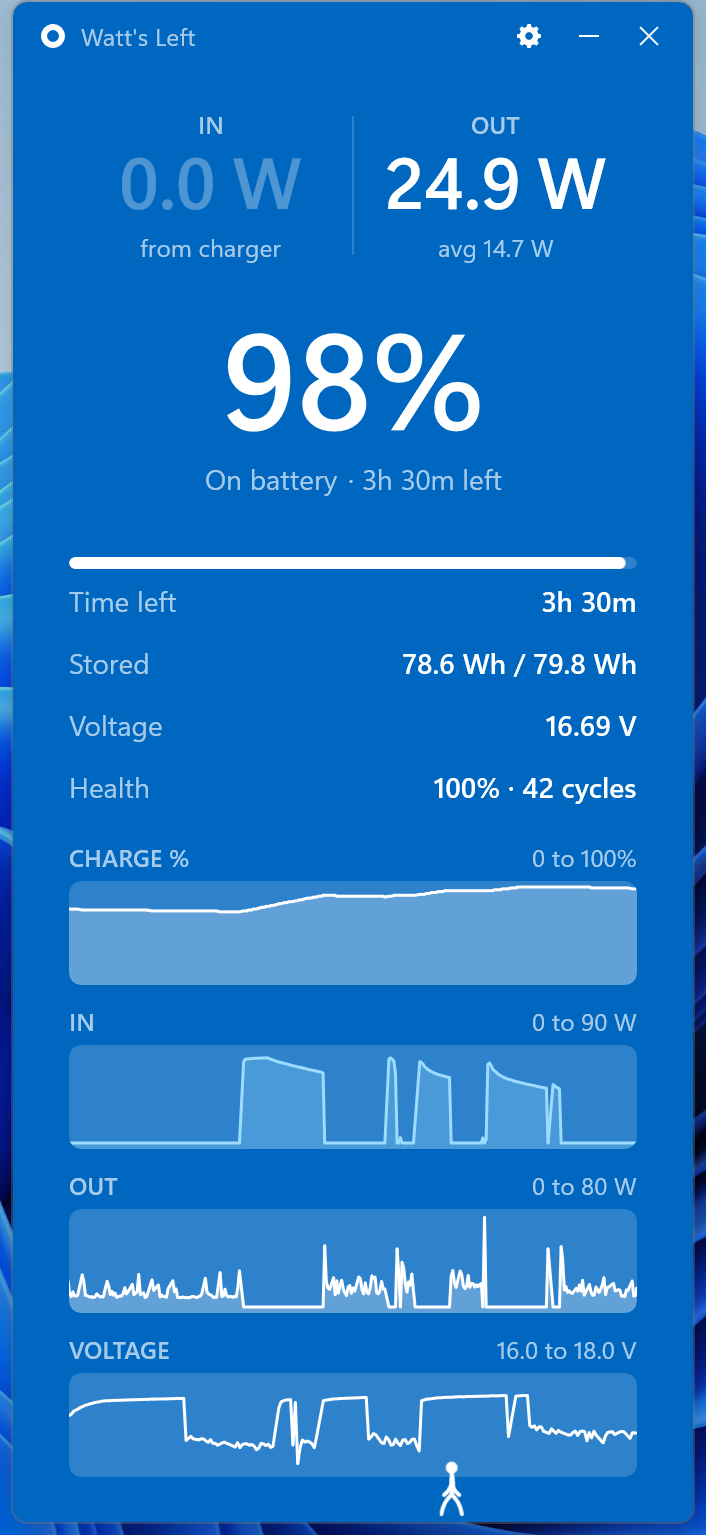
What your charger gives, what your laptop uses, and whether it's keeping up. Free.
Windows 11No accountNo trackingDefinitely no little dancing guy
What it does
Yes: it gives 25 W more than the laptop uses, and that fills the battery. A weak one goes negative and the battery drains even plugged in.
End the video call and watch it fall to 12.
From what you're actually doing right now, not a guess.
IN is what the charger puts out, OUT is what the laptop uses, NET is what's left for the battery. Voltage, health, cycles, stored energy and thirty-minute graphs are one toggle away. Hover anything and it explains itself in a sentence.
Alternatives
| App | Live watts | Price | What it's like |
|---|---|---|---|
| Watt's Left | Charger, laptop and net, front and centre | Free | One window. That's it. |
| HWiNFO | Buried in a sensor list | Free | Hundreds of sensors, built for overclockers |
| BatteryInfoView | One row in a table | Free | A NirSoft table from 2012 |
| Battery Flyout | In graphs | Paid | Replaces the Windows battery popup |
| Pure Battery Analytics | Sort of | Free | Charts and alarms |
| Windows | No | Built in | Percent and a guess |
Why I made it
I had a new charger and wanted to test one thing: is it actually sustaining my computer, or is my laptop slowly dying? The only way to find out was a random app called HWiNFO, a sensor tool usually used by very technical overclockers, and even then I had to scroll past dozens of CPU and GPU readings to find a single value about the battery. So I built the app I needed. One window, nothing else. Open source, so no one else has to have the same issue.
Questions
No. Windows shows percent and a time estimate. The battery reports its watts anyway, and Watt's Left reads that directly.
Plug in and look at the net number. Positive is good: the charger gives more than your laptop uses, and the battery fills. Negative means your laptop uses more than the charger gives, so the battery slowly drains even though it's plugged in.
Your laptop is using more than the charger can give, so the battery makes up the rest. Usually a phone charger, a weak cable or a low-power port. Watt's Left shows it as a negative net number and says "draining", with how long you've got.
No catch. It's a hobby project I built because I needed it, and it's open source. No account, no ads, no tracking, no money. If you're like so into batteries that you need to give something to someone, give it to the Alzheimer's Association.
Absolutely not. There is no setting for it, and if there were, he would not dance on the charged part of your battery bar, climb down a ladder when you turn him off, or cry when you unplug.
He's fine, we have an arrangement. Next question.
Download
Free, and it stays free. Thirty seconds to install. Nothing to sign up for.
Version 1.2, published by Aron Frishberg. Free and open source under the MIT licence, with the full code on GitHub. The .exe is a 38 MB installer and isn't code-signed yet, so Windows may show a SmartScreen prompt the first time. Click More info, then Run anyway. Privacy policy.